A university member can register your device’s hardware (MAC) address to obtain internet access.
Visiting Campus? Access the Guest Wireless Network
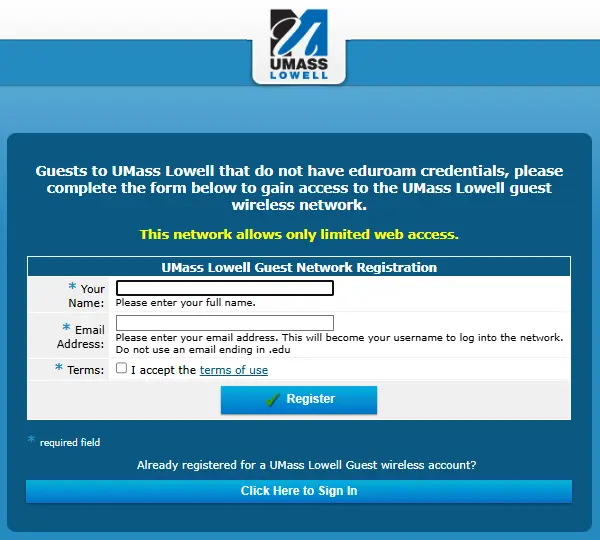
Step 1: Register
Click the Self Registration link above. Fill out your information, check the box to agree to the terms of use, then select Register. You should see a confirmation screen with a link at the bottom to Log in.
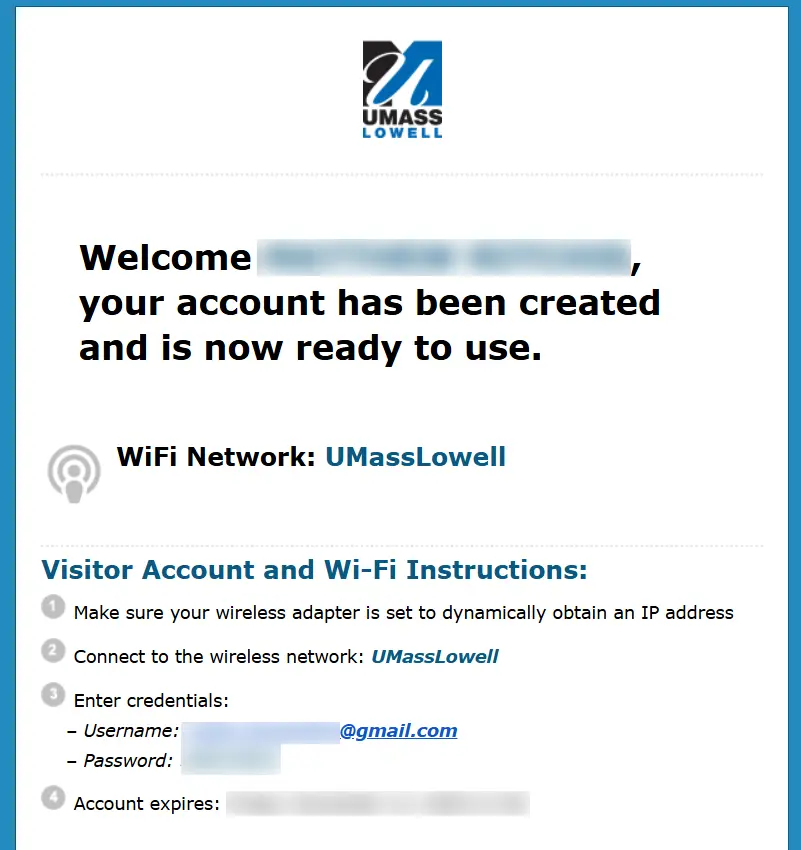
Step 2: Retrieve your guest network login information
You will receive an email from networking@uml.edu with your login credentials. Your email is your username, and you will receive a unique password. You will also be informed of your account expiration date and time.
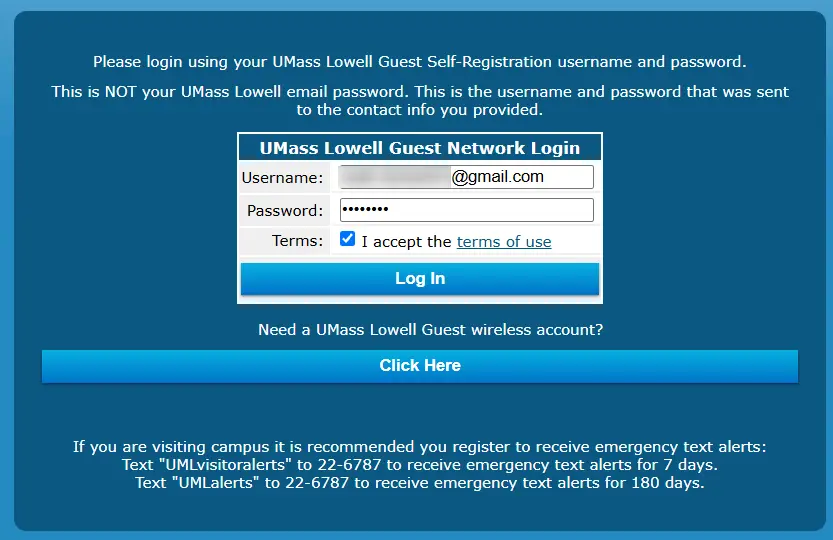
Step 3: Log in to the guest network
At the login screen from the first step, enter your email address and your password, check the box to accept the terms, then select Log In.
Congratulations! You are now connected to the guest wireless network.
Don't forget that your wireless account will expire 12 hours from the time of registration. After that, you will need to re-register to continue using the Wi-Fi on campus.
For an optimum web experience we recommend the latest version of Firefox, Chrome, Edge, or Safari. Please use one of the links below to install a supported browser.